We recently examined <i> and <b>, presentational HTML4 elements that have been given a new lease on semantic life. Two more elements that have undergone transmogrification to receive semantics in HTML5 are <small> and <hr>:
<small>— was for smaller text, now used for side comments and small print (W3C:Markup, WHATWG)<hr>— was horizontal rule, now used for a paragraph-level thematic break in text (W3C:Markup, WHATWG)
The <small> element
The small element represents so-called “small print” such as legal disclaimers and caveats.
<small> is now for side comments, which are the inline equivalent of <aside> — content which is not the main focus of the page. A common example is inline legalese, such as a copyright statement in a page footer, a disclaimer, or licensing information. It can also be used for attribution. Don’t use it for block-level content (paragraphs, lists, etc.), as this would be considered main content.

<small class="font-license"> to fulfill the requirements of a font license agreement
<small><a rel="license" href="http://creativecommons.org/licenses/by-sa/3.0/">Creative Commons Attribution Share-alike license</a></small>
<small> around a Creative Commons license link with rel="license"<small> text does not need to be smaller than surrounding text — if all you want is smaller text use CSS instead. Use <small> only on inline content. Finally, <small> doesn’t affect the semantics of <em> or <strong>.
The <hr> element
The hr element represents a paragraph-level thematic break.
The “paragraph-level” bit means between blocks of text, so it can’t be used to separate sections of a site. Instead, <hr> now separates different topics within a section of prose, or between scenes in a novel. While not widely used these days (given the dull default browser renderings), it can be replaced via CSS with an image:
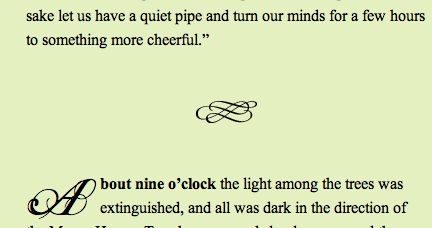
<hr> by removing borders and adding margins & a background image using CSS. For example;hr {height: 24px; background: url('flourish.png') no-repeat 50% 50%; margin: 3em 0; border: 0;}IE7 and lower live up to reputation by adding a border around the image regardless, but this can often be worked around. Alternatively you can just hide it via an IE7-and-lower stylesheet. Use a CSS border or background image on another element instead if the transition is obvious (for example between weblog comments), or the intended use is solely presentational.

<hr>.In summary
When HTML4 was released, the presentational elements <basefont>, <font>, <s>, <strike>, and <u> were already deprecated in favour of CSS. HTML5 completes this by removing <big> and <tt>.
The remaining HTML4 presentational elements — the long-ignored <small> and <hr> elements (along with <i> and <b> from last week) — have been redefined in HTML5 with useful semantics that relate to their typical use. Will you be using them? Let us know in the comments!

23 Responses to “ The small & hr elements ”
Comment by Joe Devon at
Knee-jerk reaction….I don’t like it. At all. This is going to introduce lots of confusion. Changing the meaning of existing tags? No.
Comment by Oli Studholme at
@Joe Devon, thanks for your comment. Out of curiosity have you used
<small>and<hr>recently? If so, how did you use them? If it was for purposes other than copyright text and adding a horizontal rule between two paragraphs respectively I’d love to hear about it.I know there are some sites whose usage of these elements doesn’t agree with HTML5’s new definitions, for example
<hr>is used as a section separator quite frequently in Japanese design. They’re generally hidden via CSS but visibile when viewed on cHTML cellphone browsers, which only support very basic CSS & don’t get the visual design (and with it the visual separation of sections). However I think the new definitions cover the majority of current uses ‘in the wild’.Updated to make cHTML sentence make sense
Comment by Earle Clubb at
Great article. The elements in this article need to be updated in the glossary.
Comment by Joe Devon at
I was less bothered by the new HR and SMALL than by B and I, just because we’ve been trying to get rid of I and B for a long time. It seems like we’re giving up.
But I guess part of my reaction is that the people putting in extra effort to do it “right” for so long wound up wasting their time because the others got it wrong for so long and we just changed the meaning so the lazy would be right for the wrong reason, if my circular logic makes sense in the end
I guess the intention is good, so I’ll withdraw my knee jerk reaction. It’s all good.
Comment by Steven Rossi at
The Small element really doesn’t bother me, as I’ve mostly been using that for copyright info recently. The hr change, on the other hand, seems a bit surprising. I hadn’t realized that in reading over the spec. I can’t honestly think of the last time I’ve used it (I almost used it a few months back, but I decided against it), but it still sorta seems weird. Ah well, I guess.
Comment by John Holdun at
These actually both make a lot of sense. I’ve seen <small> used for this purpose rather often, and I was bugged by the fact that <hr> didn’t have a proper replacement, though it served a unique purpose. I like this.
Comment by Vladislav at
I find for new meaning for hr element logical, and almost obvious way to use it.
Comment by Links for March 16th | jonathan stegall: creative tension at
[...] The small & hr elements | HTML5 Doctor [...]
Comment by The small & hr elements | HTML5 Doctor | Internet Brain at
[...] via The small & hr elements | HTML5 Doctor. [...]
Comment by Oli Studholme at
@all — thank you for your comments! Although after last week I feel like I’m doing something wrong because they’re all so … positive
@Earle Clubb — Thanks for the reminder!
@Joe Devon — I can understand your reaction However I think for
<i>and<b>the standardista idea wasn’t to stop using them, but to use<em>and<strong>where appropriate, for (HTML4) emphasis and strong emphasis. As the vast majority of uses were for this and not, say, using<i>to write foreign words, this did appear to be a general censure. However the standardista mantra of “use the most appropriate element” is still 100% true, and people using<b>when they mean<strong>are still doing it wrong.Also there was never any hope forWYSIWYG editor uses these because (for better or worse) they use the word processor model of applying styling rather than defining meaning.
<i>and<b>to be dropped, as everyComment by NIels Matthijs at
First reaction is … confusing. The tags are now used for very specific cases I, as a front-end developer, not often encounter.
It sounds important for copy and “web masters”, but they often lack the understanding of html to make good use of these tags. And I’m pretty sure that most WYSIWYG editors won’t bother either with the renewed meaning of these tags. I might use them when I blog myself, but even then I think that in most cases I won’t need these elements.
I also find it a little strange that for structural tags html5 is trying to be as generic as possible, but for actual content it’s catering to rather extreme edge cases. If you made me choose between a tag and an tag for “introducing thematic breaks” between paragraphs, I think my initial reaction would be that the tag would be more useful on the web (note – I’m not saying we need a tag at all!).
Comment by Stompfrog at
<hr />tags feel much closer to style than to content. Should they be part of html at all?Comment by John Holdun at
Stompfrog: Think of the “* * *” that is often used in stories and essays. Is that style, or content?
I’d say it’s most definitely content since without it, the meaning of the rest of the content might differ—the author intended for a significant break or transition at that point, for whatever reason, and for the reader to not be aware of this change could be destructive. That’s what <hr> is for.
Comment by Oli Studholme at
@Niels Matthijs — you don’t often encounter site copyright statements!? o_O I don’t think the specific use cases are such a big problem, as most people are using the officially sanctioned approaches now;
<strong>for important text (and not<b>), CSS borders or background images for separating blocks of content (and not<hr>) etc. In fact if anything it’s an increase in use cases from the “no<b>ed and<br>eakfast markup” idea that many took to mean never use<b>. Those that do continue to use e.g.<b>when they mean<strong>aren’t doing anything wrong per se, but that content just has less semantic meaning.@Stompfrog — historically
<hr>was indeed a presentational element, but in HTML5 it now has media-independent semantic meaning. For example, a screen reader could take a longer pause when encountering one, indicating to the listener that there’s a change in content.@John Holdun — well put. Thanks for the clear analogy!
Comment by Dan M at
I’m loving these posts about how older tags have been re-purposed, as this is the kind of stuff I’d never think to look up myself. Thanks for clearing a couple more things up, and keep up the good work!
Comment by Patrick at
I’m not sure there’s much justification for trying to repurpose these tags. I just can’t imagine that if we were coming up with a specification from scratch that we would come up with these tags for these purposes. Rather than trying to make old tags make sense by giving them new meanings, HTML5 might have been better off creating new elements with more apparent and obvious semantic meaning.
Also, unless I’m misunderstanding what hr is to mean, isn’t the separation of blocks of content what divs are for? Why do we need hr to fit in there, other than simply because people used to use hr for that purpose back in the early days of web design?
Comment by Aaron Witherow at
Added semantics in HTML is a good idea but I find in a day to day basis that I do not have control over the content. Nearly every site we build is in a CMS that means the clients add in the content. I find it hard enough to get correct use of basic HTML tags to be used never mind being able to use the new or re-factored elements in HTML5.
This is a struggle that I deal with all the time. I also feel that a lot of the new elements in HTML5 are trying to replicate layouts that are common in print and not developing for how we currently use the medium of the web.
With elements like <b>, <i>, <strong> and <em> we will have the problems of their use within a CMS, generally clients have no idea about the use and what happens in the background. They just want it to work like it does within something like MS Word.
I try to build sites with as much meaning as possible but if that happens to lie within an area that the client can edit then ultimately that will be ripped out and changed with a raft of crappy html, e.g. loads of non breaking spaces because they want to recreate tabs or tags instead of etc etc etc.
I will make an effort to learn HTML5 inside out but I can guarantee that a lot of my colleagues will not and I fear that some of the semantics of HTML5 make sense but will go in the too hard basket and lead to half baked implementations of the language.
Comment by dkdenz at
Hi.
Look at that: http://dkdenz.de/#nr4
Best regards,
dkdenz
Comment by Joannie at
This bothers me a bit, since I use the tag to divide text (I used to think hr meant “horizontal rule”.)
Thank you for posting this.
Comment by Oli Studholme at
@Dan M — thanks! I’ll pay you later
@Patrick — the justification is removing solely presentational elements, and making elements media-independent. Making up new elements would be nice, but repurposing has the advantage of support in current browsers (IE, cough). Also while e.g.
<small>may not be as nice as<©>, that’s actually what many people use<small>for these days.Regarding
<div>the spec states (#), so there’s no explicit separation role, although there would be with<section>or<article>. Finally<hr>is for a “thematic break,” which may be different to what you mean by “separation of blocks of content”.@Aaron Witherow — try finding a WYSIWYM plugin instead (WYM Editor, WMD), or at least customising a WYSIWYG plugin to only show semantic options and produce the code you want. I’d also recommend producing a style guide with instructions on how to get the effects the client wants in the plugin. If you’re allowing direct HTML input… well… Finally while people will surely write crap markup in HTML5 too, that’s what they’ve always done and the web still works. I think we just have to do our best.
@dkdenz — thanks for pointing out that IE7 and lower are crap at doing image replacement on
<hr>(surprise!). The old-skool technique is to apply the style to a wrapper<div>and hide the<hr>, but I’ve updated the article with a link to a workaround you can try. You could also just hide the<hr>in an IE7-and-lower stylesheet@Joannie — Why are you bothered? It sounds like the realigned definition matches your use!
Comment by agence internet at
about the technique, i would have think it wasnot interesting but your exemples are interstings
Comment by Steph at
The whole concept of hr’s still confuse me. They’re the least needed.
Comment by Sean Fraser at
hrdid represent Horizontal Rule in HTML 4.01. And, as much as I appreciate the narrow definition for use in HTML 5, I prefer to usehras a thematic break in content section-level as well as paragraph-level. The HTML 5 Validator does not issue an error during validation when this element is used in places of the markup other than paragraphs; therefore, I will continue to use it as an all-level element since the specification states and Flow Content is defined asThe contexts exceed the
hruse in paragraphs only.